How to Fix a Suppressed Amazon Listing (2026 Step-by-Step)
✅ Quick Answer
An Amazon listing is suppressed when Amazon hides it from search results — usually because of a missing title or brand, a non-compliant main image, a pricing or category error, restricted keywords, or a variation conflict. To fix it, open Seller Central → Inventory → "Search Suppressed and Inactive Listings," read the flagged reason, correct that field, and resubmit. Content fixes typically restore the listing within 15 minutes to a few hours.
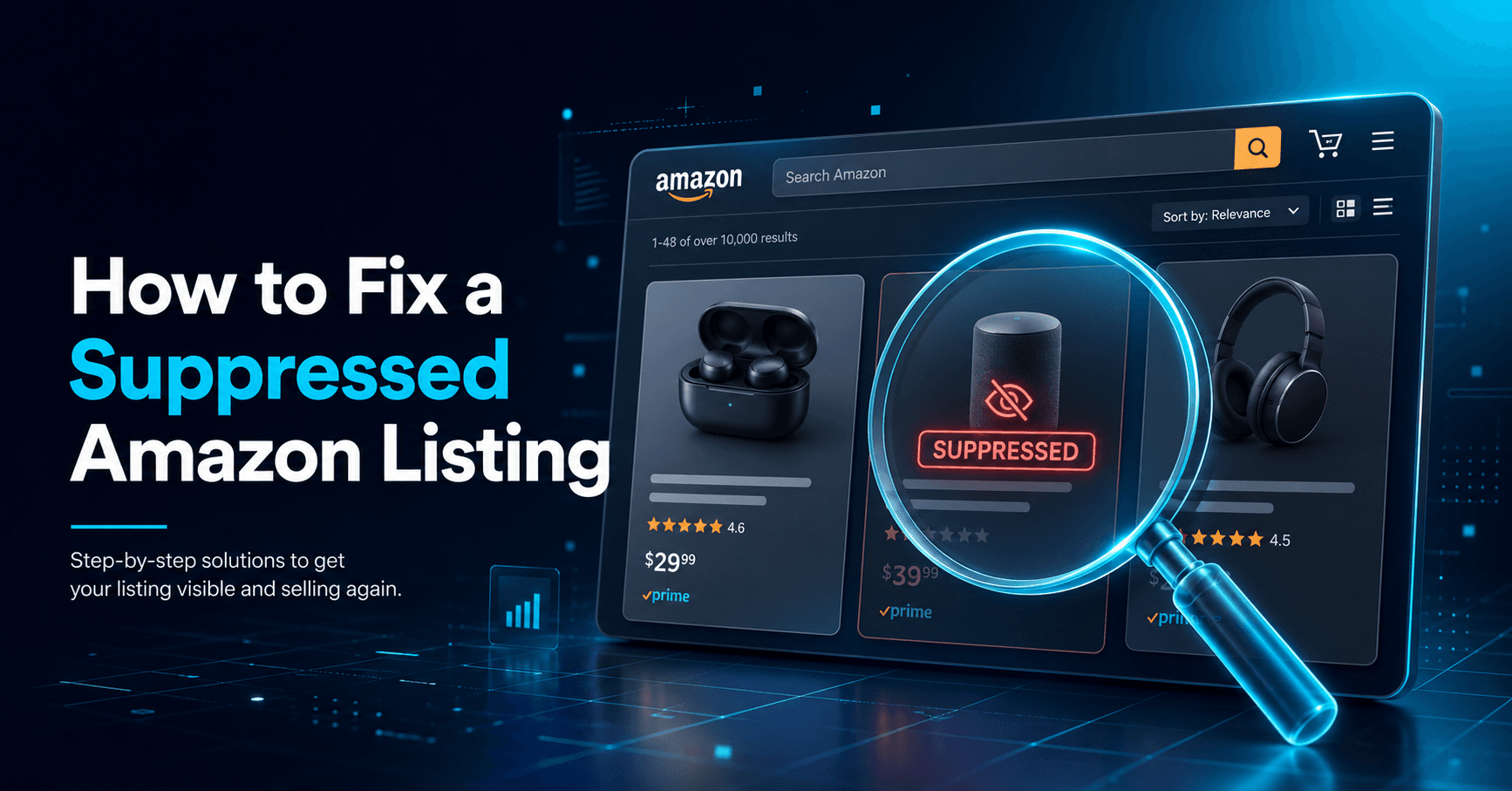
Few things panic an Amazon seller like watching sales fall off a cliff overnight. You search for your own product and it is nowhere to be found — even though the listing still loads from a direct link. That is a suppressed Amazon listing: live, but invisible in search. The good news is that most suppressions are simple content issues you can fix yourself, often within the hour. This guide shows you how to find the cause and reinstate your listing fast.
What Does a "Suppressed Amazon Listing" Mean?
A search-suppressed listing is removed from Amazon's search results while remaining accessible through its direct product URL. A "yanked" listing is a closely related state where Amazon pulls the product for a compliance or data issue. The practical effect is identical: shoppers browsing or searching cannot find your product, so your organic sales stop even though the page technically still exists.
Critically, Amazon does not always notify you when a listing is suppressed. That is why proactive sellers audit their catalog regularly rather than waiting for a revenue drop to reveal the problem.
How to Tell If Your Listing Is Suppressed
Because Amazon rarely sends an alert, check manually inside Seller Central:
- Go to Seller Central → Inventory → Manage All Inventory.
- Select the "Search Suppressed and Inactive Listings" filter (or open the "Fix Your Products" page).
- Review each flagged ASIN — Amazon usually states the specific reason and the field that needs attention.
- Download the suppressed listing report for a full export you can work through systematically.
7 Common Reasons Amazon Suppresses Listings
Even when Amazon does not spell out the cause, suppression almost always traces back to one of these issues:
| Cause | How to Fix It |
|---|---|
| Missing or non-compliant title | Add a clear title (brand + product type) under 200 characters; remove promotional language and special characters. |
| Low-quality main image | Use a pure white background (RGB 255, 255, 255), product filling 85% of the frame, at least 1,000px (1,600px+ enables zoom), no badges or watermarks. |
| Missing required attributes | Complete every required field for your category — brand, bullet points, product type, and dimensions. |
| Pricing errors | A price far above competitors or fair market value can trigger suppression; align it with the market. |
| Wrong category / product type | Re-map the listing to the correct browse node so it meets that category's specific rules. |
| Restricted keywords | Remove flagged terms (medical claims, "best seller", trademarked words) from the title, bullets, and backend. |
| Variation / parent-child conflicts | Fix mismatched parent-child relationships — increasingly enforced under Amazon's 2026 catalogue logic — so variations align with category rules. |
How to Fix a Suppressed Amazon Listing (Step by Step)
- Identify the reason from the "Fix Your Products" page or the suppressed listing report.
- Edit the listing and correct the exact flagged field — title, image, attribute, price, or category.
- For image issues, upload a compliant main image: white background, 1,000px+ on the longest side, no text or badges.
- Remove any restricted keywords from the title, bullet points, and backend search terms.
- Save and resubmit, then wait roughly 15 minutes for Amazon's systems to re-check the listing.
- Re-run the suppressed listings filter to confirm the ASIN has cleared and is back in search.
How Long Does Reinstatement Take?
Timelines depend on the type of issue:
- Content/attribute fixes: usually 15 minutes to about 6 hours.
- Listing or account-health cases: 24–72 hours, often requiring a Seller Support case.
- Compliance issues or appeals: 3–14 days.
Roughly half of listings reactivate within the first 48 hours of a correct fix. If this is a repeat attempt on the same ASIN, expect it to take longer.
When to Open a Seller Support Case
If your listing is still suppressed 48 hours after a correct fix, open a case through Amazon Seller Central. Include the ASIN, the suppression date, a list of the changes you made, and screenshots of both the error and your fix. Clear documentation speeds up manual review and improves your chances of a fast reinstatement.
How to Prevent Future Suppression
- Audit your catalog weekly with the suppressed/inactive filter — don't wait for a sales drop.
- Complete every required attribute, compliantly, the first time you create a listing.
- Maintain one clean main-image standard across your whole catalog.
- Keep a running list of restricted keywords to avoid in titles and backend fields.
- Test variation relationships before bulk uploads to avoid parent-child conflicts.
If suppression keeps recurring, or you manage a catalog too large for manual audits, professional help pays for itself fast. Our Amazon listing optimization service rebuilds compliant, search-ready listings and keeps them indexed — so your products stay visible and selling.
Key Takeaways:
- A suppressed listing is live but hidden from search — find it via Seller Central's "Search Suppressed" filter.
- Most suppressions are content issues: title, image, attributes, price, category, keywords, or variations.
- Fix the flagged field and resubmit; content fixes usually clear within minutes to hours, and you can escalate after 48 hours.
Frequently Asked Questions
Why is my Amazon listing suppressed?+
The most common reasons are a missing or non-compliant title, a low-quality main image, missing required attributes, a pricing or category error, restricted keywords, or a variation (parent-child) conflict. Amazon hides the listing from search until the flagged issue is corrected.
How do I find out why my listing is suppressed?+
In Seller Central, go to Inventory → Manage All Inventory and select the 'Search Suppressed and Inactive Listings' filter (or the 'Fix Your Products' page). Amazon usually states the specific reason and field, and you can download the suppressed listing report for the full list.
How long does it take to reinstate a suppressed Amazon listing?+
Content and attribute fixes typically clear within 15 minutes to about 6 hours. Listing or account-health cases take 24–72 hours and may need a Seller Support case, while compliance issues or appeals can take 3–14 days. Around half of listings reactivate within the first 48 hours of a correct fix.
Will Amazon notify me if my listing is suppressed?+
Not reliably. Amazon often does not alert sellers to suppressed or yanked listings, which is why you should audit your catalog regularly using the suppressed/inactive filter rather than waiting for a sales drop.
Can customers still buy a suppressed listing?+
Yes — a search-suppressed listing is still live and accessible via its direct product URL, so anyone with the link can buy. The problem is that it no longer appears in Amazon search or browse, so organic sales stop.

Jashedul Islam Shaun
Founder & CEO of 3S-SOFT with 8+ years in eCommerce operations, marketplace listing optimization, and full-stack development. He leads a global team helping Amazon, Shopify, and marketplace sellers grow. More about the team.